Your photos weigh 3 MB.
Your website pays for it.
Poids Plume gets your photos ready for your website, in your browser, on your own computer: it converts them to WebP, keeps the weight you set to the kilobyte, produces one version per screen size, gives them names built for local SEO, and writes the HTML code ready to paste into your page.
No photo ever leaves your computer. All the work happens on your machine. Each period is paid once: no automatic renewal, no direct debit. Words underlined with dots are explained when you hover over them.
processed in 8 seconds
Where it starts
The problem is not your website.
It is the photos you put on it.
A recent phone produces images of 3 to 4 MB. They are perfect for printing and disastrous for a web page. Three symptoms come up every time.
The page takes ten seconds to appear
Twelve site photos at 3 MB each, and your page weighs 36 MB. On a phone by the roadside, the visitor leaves before the first image shows.
The phone downloads the big-screen image
Without a reduced version, the same 4,000 pixels-wide file goes to every visitor. The one with a 400-pixel screen downloads ten times too much.
Your photos tell Google nothing
A file name straight from the camera holds no keyword, no town, no information. That is wasted space in Google image search and in searches such as “plumber Manchester”.
Measured, not promised
What a batch of phone photos gives
The figures below were measured on real files, with the settings shipped by default. You will run exactly the same test on your own photos during the 15-day trial.
−91%
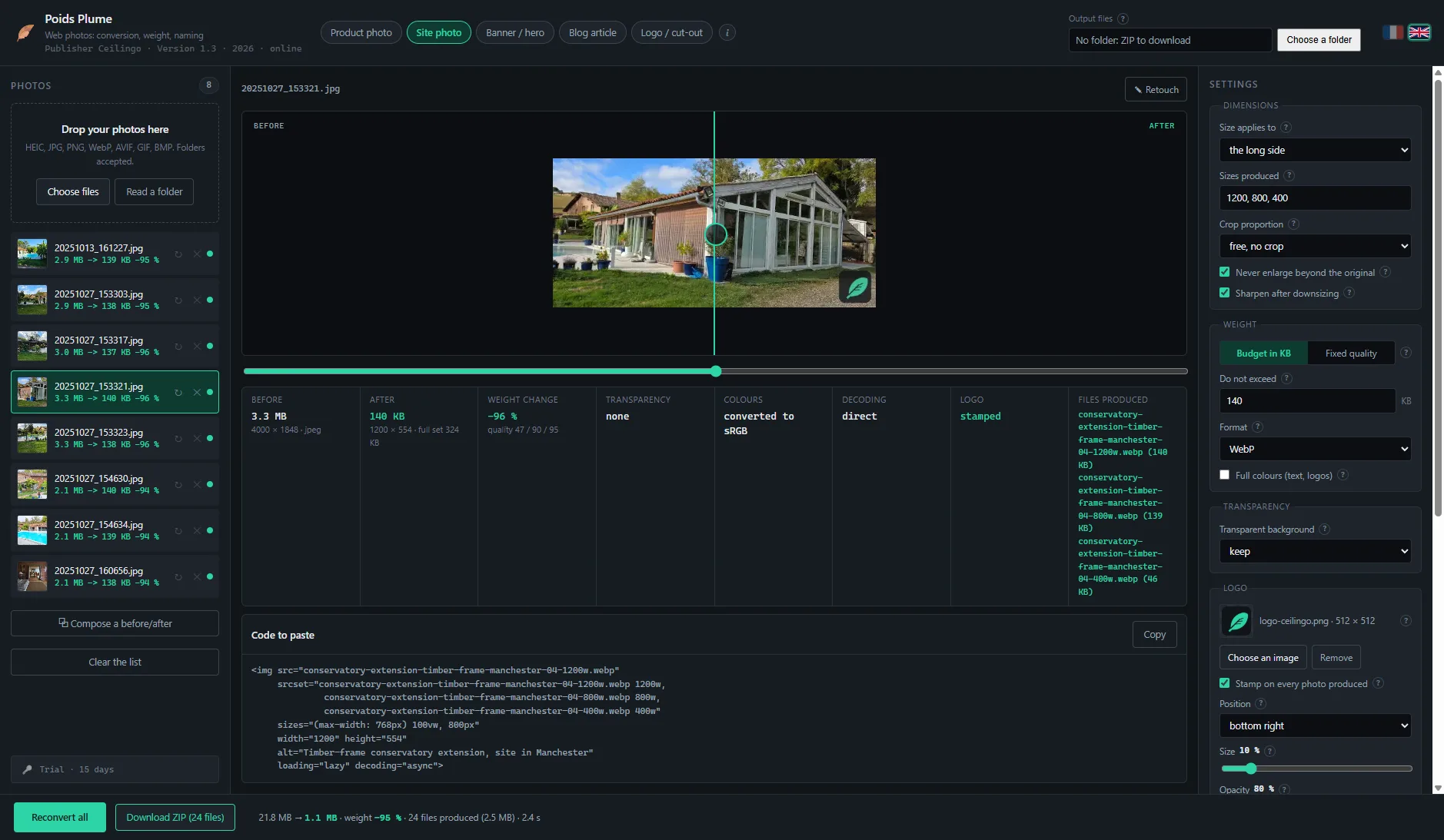
8 photos, 3 sizes each: 10.2 MB at the start, 899 KB at the end.
8 s
Total time for the batch, 24 files produced, on an ordinary desktop computer.
2.1 MB › 148 KB
One HEIC photo taken with a recent iPhone or Android phone.
2.7 MB › 140 KB
One classic JPG photo. About twenty times lighter.
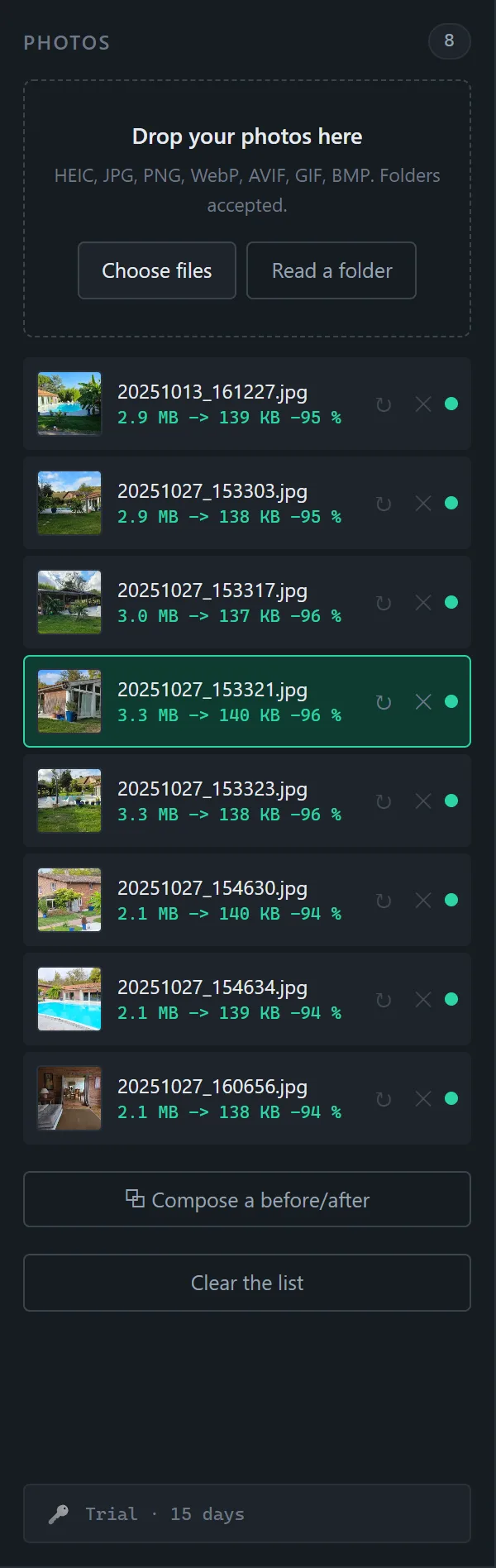
Second batch, measured on 20 August 2026 on eight phone photos: 21.8 MB at the start, 24 WebP files produced in three sizes, 2.4 MB in total in 4.3 seconds, that is 89% less, with a maximum weight set at 140 KB per file. It is exactly the batch shown in the screenshots on this page.
Getting started
Three moves, and it is done
Drop your photos
Drag files or a whole folder into the window. HEIC, JPG, PNG, WebP, AVIF, TIFF, BMP and GIF are read directly, with nothing to prepare.
Pick a profile
A profile is a ready-made set of settings: product photo, site photo, banner, blog article, cut-out logo. Dimensions, target weight and the way files are named apply in one go.
Convert
The lightened files land in the folder you chose. Your originals are never touched, never replaced.
In two minutes
Poids Plume in action, from dropping the photos to the code to paste
Every feature, in the order you will use them: profile, weight, sizes, naming, logo, retouching, blurring, before/after, conversion and comparator. Silent, subtitled.
In detail
What Poids Plume does, screen by screen
Weight
You set the weight. The software sticks to it.
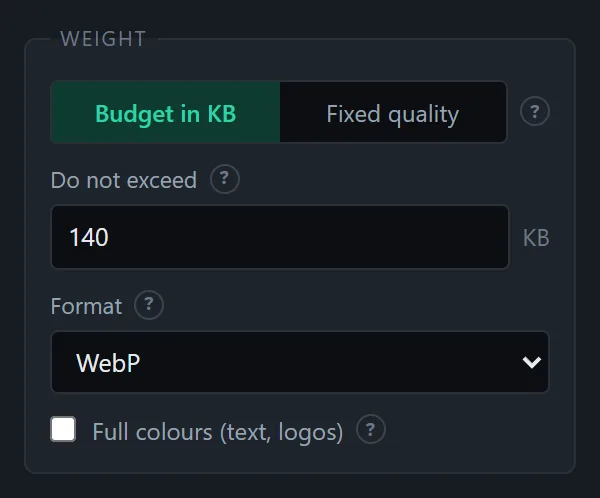
You give a maximum weight in kilobytes. Poids Plume automatically finds the highest quality that fits under that ceiling, image by image. No more guessing with a quality slider.
- Maximum weight in KB, or a fixed quality if you prefer to set it yourself
- WebP by default, AVIF available to go even further
- When the ceiling cannot be met, the line says so instead of pretending
Sizes
Every screen size, in a single pass
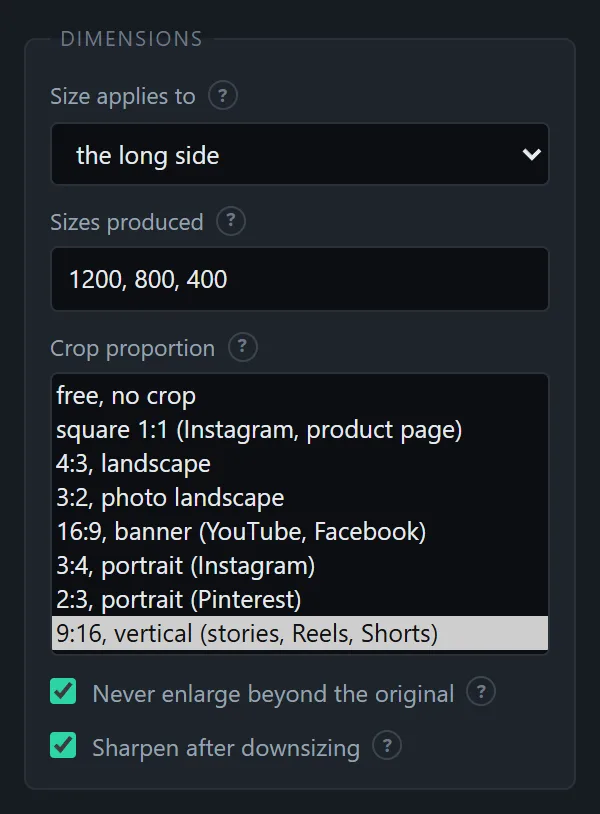
Enter 1200, 800 and 400 pixels wide, and you get the three files at once. The phone receives the small version, the large screen receives the big one, and nobody downloads more than needed.
- Size set by the width, or by the longest side when you mix portrait and landscape photos
- Never enlarged beyond the original
- Sharpening after downsizing, switched on in one click
Code
The HTML is written for you
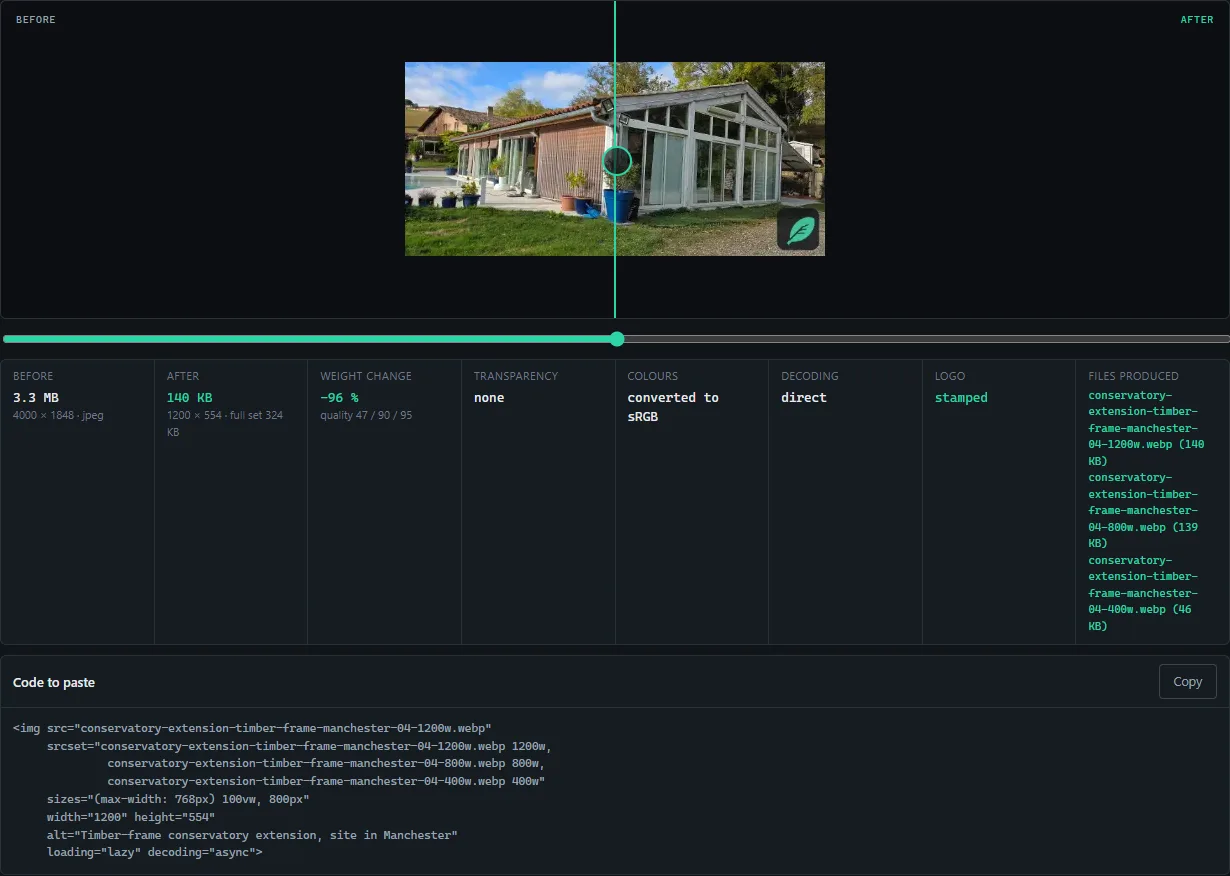
Three sizes of a photo are useless if your page does not know they exist. The page's code needs a line that lists them so the browser can pick the right one: the srcset. Poids Plume writes it for you, complete, with the dimensions and the alt text you typed. You click Copy, you paste into your page, done.
<img src="timber-frame-conservatory-extension-manchester-04-1200w.webp"
     srcset="timber-frame-conservatory-extension-manchester-04-1200w.webp 1200w,
              timber-frame-conservatory-extension-manchester-04-800w.webp 800w,
              timber-frame-conservatory-extension-manchester-04-400w.webp 400w"
     sizes="(max-width: 768px) 100vw, 800px"
     width="1200" height="554"
     alt="Timber-frame conservatory extension, site in Manchester"
     loading="lazy" decoding="async">
Code produced by Poids Plume, copied as is.
Your place in Google
File names that speak of your trade and your town
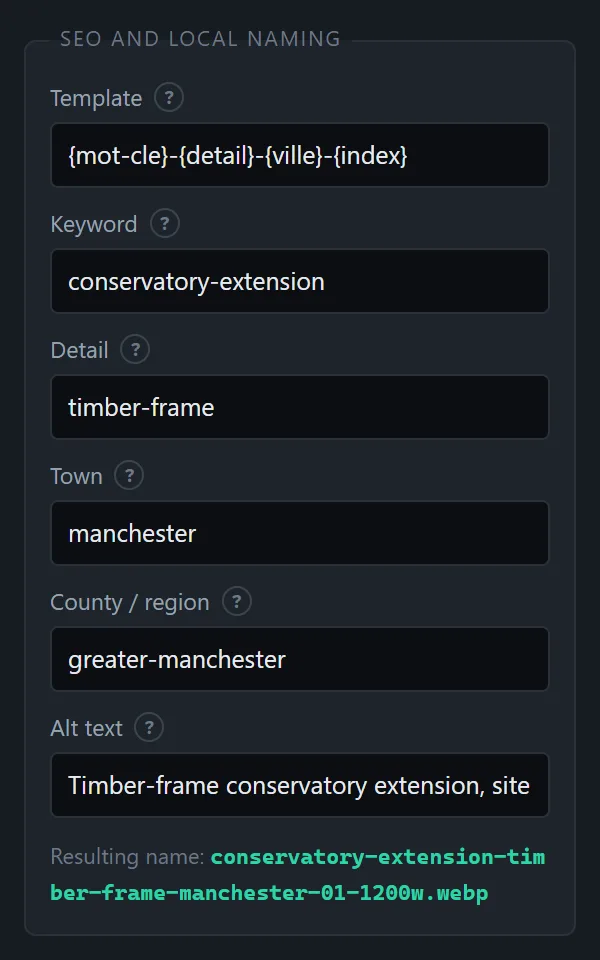
A name template with variables replaces the camera's numbering. You type the keyword, the detail, the town and the county once, and the whole batch is named cleanly, accents and spaces tidied, duplicates avoided.
- Available variables: keyword, detail, town, county, brand, original name, index
- A variable left empty disappears, without leaving a stray hyphen
- The alt text typed here goes straight into the HTML code
Control
See before and after, to the pixel
A lightened image that has lost its detail does you no favours. The comparator lays the original over the file produced, with a divider you drag with the mouse. The space bar flips it from one side to the other.
Privacy
Your site photos contain your customers' addresses
A photo taken with a phone carries the date, the model of the device and, most of the time, the GPS coordinates of the place. Published as is on your website, it gives the exact address of the home where you worked.
Poids Plume strips all of that metadata when it converts. The colour profile, though, is kept, so the tints stay true on screen.
Transparency
A cut-out logo stays cut out
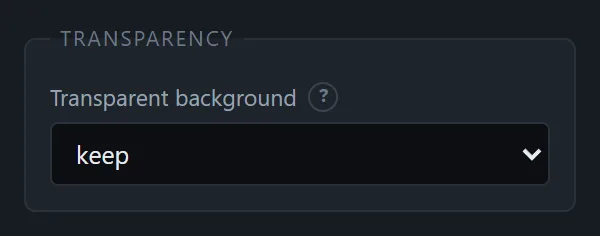
Transparency is detected and kept: a PNG with a transparent background comes out as WebP with a transparent background, and a cut-out logo stays that way. If you prefer a solid background, you choose the colour, and the background is only added if you ask for it.
- Full-colour mode for logos and visuals containing text
- Checkerboard in the preview, to check at a glance
Day to day
Your settings, saved once and for all
Each profile remembers its dimensions, its maximum weight, its naming template and its destination folder. Site photos go into one website's folder, product photos into another, with nothing to retype.
- Five profiles supplied, editable, saved from the interface
- A log links each file produced to its original, with the weights before and after
- A photo can be put back in the queue to be redone with other settings

Retouching
Straighten, crop, brighten, without switching tools
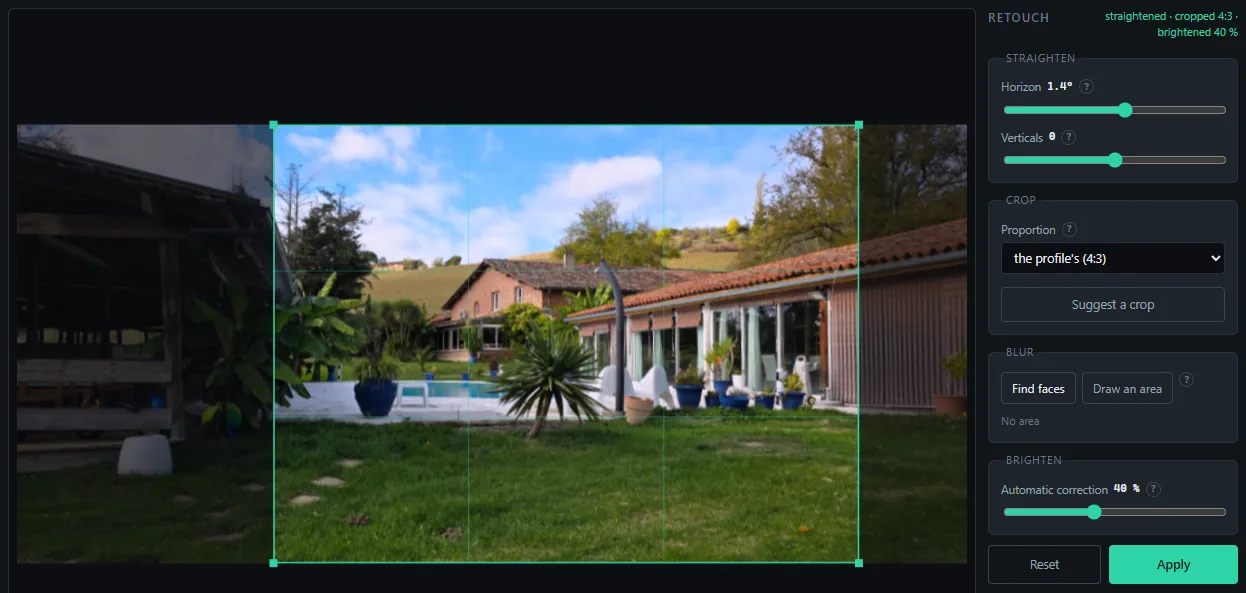
A site photo taken on the fly leans a little, frames too wide, comes out too dark. The Retouch button fixes all three: the horizon levels with a slider, the verticals of a facade straighten up, a crop in the profile's proportion lands by itself on the richest area, and an automatic correction lifts the shadows.
- Eight proportions to choose from, set once in the profile and applied to the whole batch: square 1:1 for Instagram or a product page, 16:9 for a banner or YouTube, 3:4 and 2:3 for a portrait, 9:16 for a story, a Reel or a Short
- Drag the frame with the mouse, change the proportion photo by photo
- Retouches are redone at full resolution when the photo is converted
Discretion
Faces and number plates blurred, on your computer
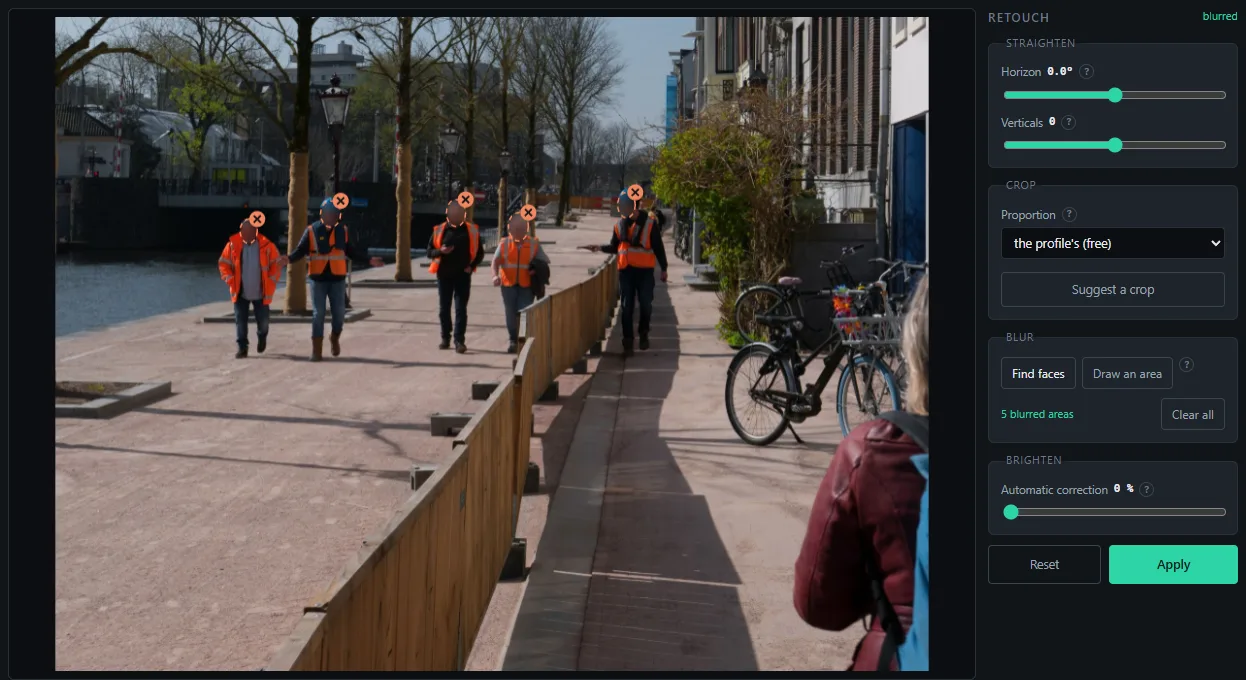
A passer-by, an employee, a vehicle's plate: publishing a site photo involves other people's privacy. “Find faces” locates them on your machine, without sending anything, and covers them with a blur that cannot be reversed. For a plate, a shop sign or a screen, you draw a rectangle with the mouse.
- Local detection: the model, 230 KB, downloads at the first click and then stays cached
- A blur whose strength follows the size of the area, applied before downsizing, unreadable at every size
- Each area moves or goes away with a click
Your signature
Your logo on every photo, set once
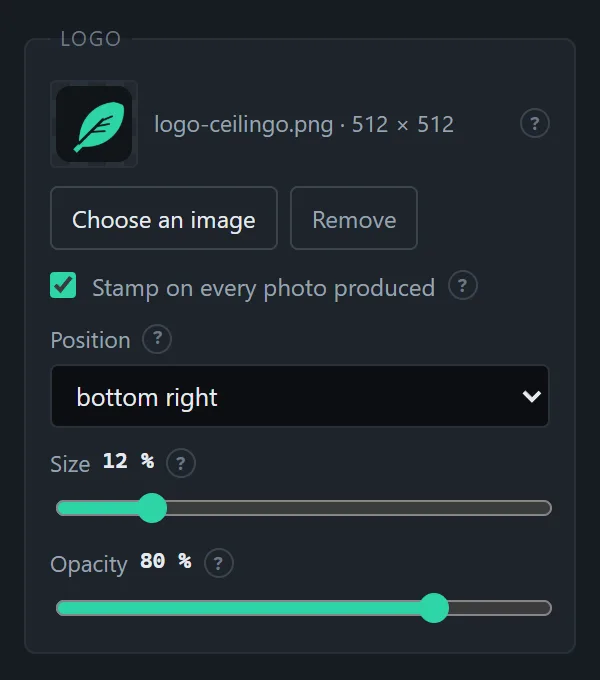
A PNG with a transparent background, a corner, a size, an opacity: the logo is saved in the profile and stamped on every photo produced, recomputed for each size, sharp on the large one and on the thumbnail alike. One box to untick for a batch meant for a customer.
- One logo per profile: your site photos signed, your product photos not
- A discreet watermark at 60 or 80%, or an opaque logo, in the corner of your choice
Before/after
Two photos, one image, and your site name on it
The social media classic, with no editing software: you pick the before photo and the after photo, the tool joins them side by side or one above the other, in the same proportion, with a label on each and your site name as a caption. The result joins the list and converts like any other photo, with the profile's sizes and logo.
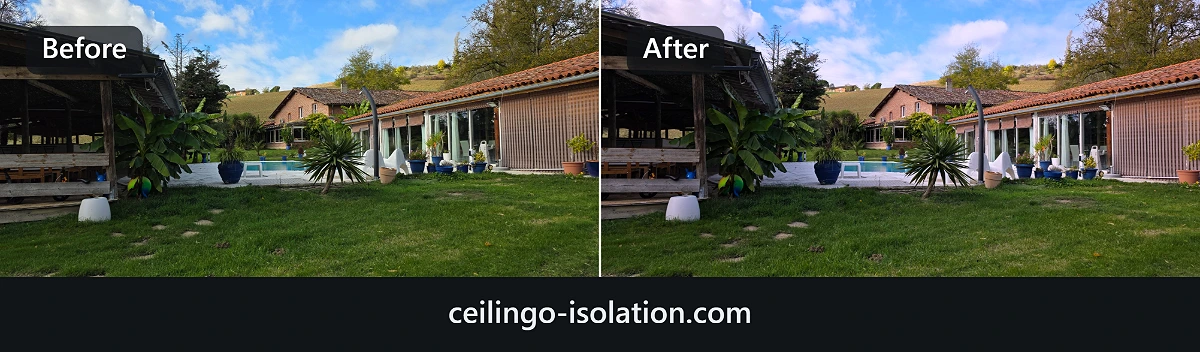
Image produced by Poids Plume, copied as is.
Users
For people who run their own website
Poids Plume does not replace a photo editor. It does the last step, the one nobody wants to do by hand, before going online.
Tradespeople
Your site photos go from the phone to the website without a detour, lightened, named with your trade and your town.
Small businesses
A catalogue of several hundred items is prepared in batches, with the same weight and the same dimensions for every product page.
Agencies
One profile per client, one destination folder per site, and identical deliveries from one project to the next. One subscription per person, quote for a team.
Freelancers
One month for a redesign, a year for regular use: you choose the length, with no automatic renewal and no image quota.
Against the alternatives
Why Poids Plume rather than a free tool?
There are free compression websites, WordPress plugins and photo editors. Each does part of the job. None does all of these moves at once, and several send your photos to their servers. Point by point:
| What needs doing | Compression websitesTinyPNG, Squoosh, iLoveIMG | WordPress pluginsImagify, Smush, ShortPixel | Photo editorsPhotoshop, Affinity, Canva | Poids Plume |
|---|---|---|---|---|
| Guaranteed weight in KB, image by image | ✕ A quality slider, by eye | ✕ Three compression levels, no ceiling | ✕ By eye, image by image | ✓ You set 140 KB, it sticks to it |
| Every screen size at once | ≈ One image at a time | ≈ Yes, but after uploading the heavy file | ≈ By hand, export by export | ✓ The whole batch, in one pass |
| File name built for Google | ✕ No | ✕ No | ≈ By hand, one by one | ✓ Trade, town, county, for the whole batch |
| GPS coordinates erased | ≈ Depends on the tool | ≈ Often, as an option | ≈ Optional, a box to tick | ✓ Always |
| HTML code ready to paste | ✕ No | ≈ For WordPress only | ✕ No | ✓ For any website |
| Faces and number plates blurred | ✕ No | ✕ No | ≈ By hand, area by area | ✓ Faces found automatically, on your computer |
| Logo stamped on the whole batch | ✕ No | ≈ Some, as a paid option | ≈ By hand, one by one | ✓ Set once in the profile |
| Straighten, crop, brighten | ≈ Depends on the tool, one image at a time | ✕ No | ✓ Yes, and much more | ✓ The essentials, automatic crop on the whole batch |
| Before/after composed | ✕ No | ✕ No | ≈ By hand | ✓ Two clicks, site name as a caption |
| Your photos stay on your computer | ≈ Not always: TinyPNG and iLoveIMG send them to their servers | ✕ Sent to their servers to be compressed | ✓ Yes | ✓ Nothing leaves, even offline |
| Works with any website | ✓ Yes | ✕ WordPress only | ✓ Yes | ✓ WordPress, Shopify, PrestaShop, Wix, custom site |
| Price | Free in small batches, paid beyond | €5 to €10 a month, per number of images | €12 to €26 a month | €2.49 a month, no image quota |
Comparison drawn up on 5 September 2026, completed on 6 September 2026, from the features announced by each publisher. These tools are not bad: they do something else, or only part of the job. Poids Plume does the last step before going online, in full, without your photos leaving your computer.
Why weight matters
Google measures how long your largest image takes to appear
Among the signals Google watches on a page is the delay before the largest visible element appears, the LCP. On a tradesperson's or a shopkeeper's website, that element is almost always a photo. As long as it weighs 3 MB, that delay stays poor, whatever the quality of the rest of the page.
Lightening the images acts directly on that delay. The file name and the alt text act, for their part, on image search and on searches of the trade-plus-town kind. Those are two different levers, and Poids Plume pulls both in the same operation.
No tool can promise a position in search results, and this page will not. What can be measured is the weight of your files before and after. The rest depends on your content.
Where this software comes from
Written for a real need, used every day
Poids Plume was developed by Ceilingo to prepare the images of its own websites. It was not born from a market study but from a catalogue to put online and site photos that were far too heavy.
It runs today in production on three online shops.
Pricing
You choose the length, nothing renews without you
A subscription is paid once, for the period you choose. No charge afterwards, no automatic renewal: seven days before the end, an email offers to extend it. No image quota, no account to create.
1 month
For a website redesign or a catalogue to put online.
€8.25 excl. VAT, 20% French VAT
- Every feature, no image quota
- Paid once, no renewal
- Key sent immediately after payment
- Invoice in your company's name
- Support by email
6 months
For a season of jobs or new products.
that is €3.32 a month
€16.58 excl. VAT, 20% French VAT
- Every feature, no image quota
- Paid once, no renewal
- Key sent immediately after payment
- Invoice in your company's name
- Support by email
12 months
For a website that lives all year round.
that is €2.49 a month
€24.92 excl. VAT, 20% French VAT
- Every feature, no image quota
- Paid once, no renewal
- Key sent immediately after payment
- Invoice in your company's name
- Support by email
A subscription covers one person. For a team or an agency, write to us: we will send a quote.
Payment by card or PayPal. Prices include 20% French VAT. Businesses established in another EU country with a valid intra-community VAT number can ask for a reverse charge invoice at contact@ceilingo.fr before ordering.
Try first, decide later
The trial version is complete: every feature, no watermark on the images. It works for 15 days, or 60 photos converted, whichever comes first. Then the activation screen waits for your key.
Nothing to install: the tool opens in Chrome, Edge, Safari or Firefox. The page loads once, then all the work happens on your computer, even offline. A button offers to install it like an app, with its own window and a desktop icon.
Questions
What people ask us before buying
How does the subscription work?
You choose a length, one month, six months or a year, and pay for it once. You immediately receive a key that carries its end date. Nothing is charged afterwards: the subscription simply stops. Seven days before it ends, an email offers to extend it, and the Renew button in the tool does the same at any time. If you extend before the end, the new period starts when the old one ends, so no day is lost.
Do I need to cancel?
No. There is no automatic renewal, no charge and no account to close. We keep no payment data. When the period ends, the tool simply waits for a key again.
What happens when the subscription ends?
The tool stops converting photos and shows the activation screen. Your profiles, your settings and the files already produced stay where they are. You pick up whenever you like by choosing a new period.
Does it work on Mac, on Linux, on a tablet?
Yes. Poids Plume works in Chrome, Edge, Safari and Firefox, on any computer. On Chrome and Edge it writes the files straight into the folder of your choice; on Safari and Firefox, which do not allow that, it hands you a ZIP archive at the end of the batch. On a tablet the conversion works too, but the comfort is that of a computer.
Are my photos sent to a server?
Never. The page loads once, then the photos are converted in your browser, on your computer, without being sent anywhere. Face detection runs on your machine too. The tool even works without an Internet connection, including to check your key. No image, no file name and no usage statistic leaves your machine.
Do I need to install anything?
No. You open the address and it is ready. If you prefer a desktop icon and a separate window, the “Install the app” button in the tool does it in one click, with no download and no administrator rights.
On how many devices can I use my key?
A subscription covers one person. The key pastes into each browser you use, on your desktop as on your laptop, with no procedure and no hardware limit. For several people, ask us for a quote.
What happens when the trial ends?
The tool shows the activation screen and waits for a key. Your settings, your profiles and the files already produced stay where they are. Nothing is deleted.
Which formats are accepted?
Input: HEIC and HEIF (the formats of iPhones and recent phones), JPG, PNG, WebP, AVIF, BMP and GIF. Output: WebP, or AVIF if you want to go even lower in weight, at the cost of slower processing.
Can I retouch a photo before converting it?
Yes, the essentials: straighten the horizon or the verticals of a facade, crop to the profile's proportion, brighten a dark photo, blur faces or areas, stamp your logo, compose a before/after. It is not a photo editor: Poids Plume does the usual moves before going online, and applies them to the whole batch.
How are faces blurred?
A small detection model, 230 KB, is downloaded at the first click and then kept in the browser. It runs on your computer: no photo is sent. It spots faces down to about twenty pixels wide; for a plate, a shop sign or a missed face, you draw the area with the mouse. The blur is applied at full resolution, before downsizing, and cannot be undone by whoever gets the image.
Are my original files at risk?
No. Poids Plume never touches your original photos: the files produced go into the folder you chose, or into an archive to download. A CSV log links each file produced to its original, with the weights before and after.
Will I receive an invoice?
Yes, an invoice in your company's name, including 20% French VAT, sent with the key. If you are a business established in another EU country with a valid intra-community VAT number, write to us before ordering to get a reverse-charge invoice.
Can I get a refund?
Because the key is delivered immediately, you waive the fourteen-day right of withdrawal when you order, as the law provides for digital content supplied without delay. That is exactly what the 15-day trial is for: you check the tool on your own photos before paying. If the key does not work and we cannot solve the problem, you are refunded.
Who publishes the software?
Ceilingo, a French limited company (SARL) with a share capital of €10,020, registered in Toulouse under number 799 787 288. One address for everything: contact@ceilingo.fr.
Your next photos can weigh twenty times less
Take the last eight photos on your phone and run the test. Fifteen days, no card, no account to create.